Free AI tools changed a lot by 2026. A few years ago, the best models lived behind paywalls. Today you can open a browser tab, type a plain English request, and get a decent answer without spending anything. That sounds great. The problem is that every tool is a little different, and free does not always mean useful for your actual life. Some free tiers are perfect for quick questions. Others choke on long files or make you wait after five messages. If you want to save money and still get real work done, you need to know which free tools hold up. Our guide to using AI in daily life helps you spot realistic use cases before you sign up.
We tested these tools like a normal person, not a developer. That means we asked them to summarize long emails, plan meals, explain a confusing phone bill, draft a parent teacher note, and find the best local hikes with sources. We did not measure fancy benchmarks. We looked at how well the free plan worked on a Tuesday night when you need an answer in five minutes. We also checked official pricing pages so the limits below are not guesses. Some free plans advertise no monthly fee but quietly reset your usage after a few hours. That matters more than a polished chatbot interface. That kind of real world testing shows which free plans actually hold up.
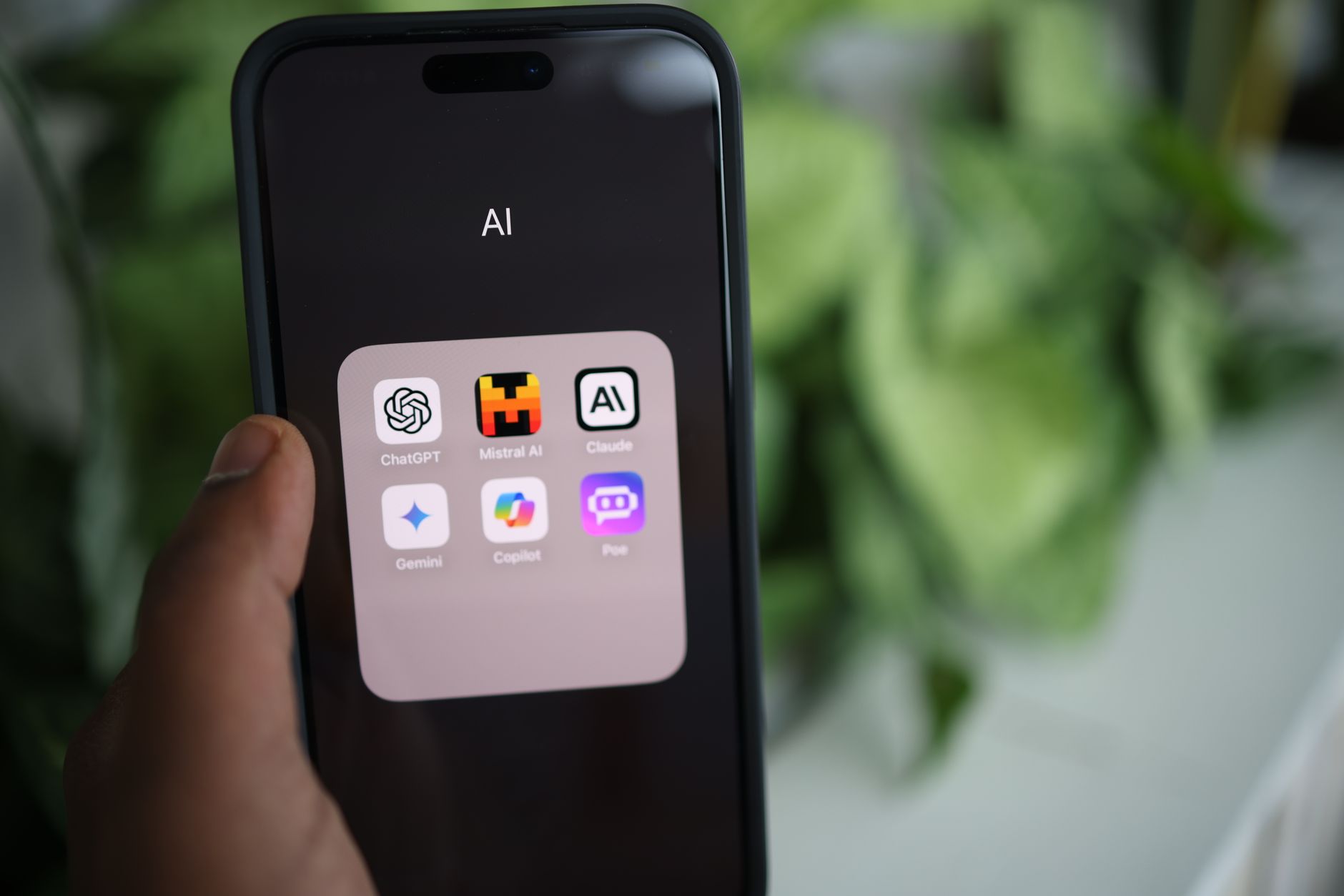
In 2026, free AI is not a single product. ChatGPT Free, Claude Free, Gemini, Perplexity, and Microsoft Copilot all have different strengths. Some are better at writing. Others are better at search or pulling facts from your own documents. A free tool is only good if it fits the task in front of you. That is why this guide compares actual limits, not just vague features. We also looked at hidden tradeoffs, like when your chats may be used for training. If privacy matters to you, our AI privacy guide explains which settings to change first. The right free assistant can save you a few hours a week. The wrong one just becomes another tab you never open.
We did not include paid plans in this comparison, though some are worth the upgrade later. The point is to find what you can really do for zero dollars. That includes drafting a cover letter, turning a messy recipe list into a grocery list, or getting a quick explanation of a medical bill code. Free tiers now handle many of those jobs well enough. The key is knowing each tool’s ceiling. In the next sections, you will see a direct comparison table, then a deep dive into each free option. Use the table to narrow your choices, then test two tools on the same task. You will learn more in ten minutes than any spec sheet can teach.
How Do the Top Options Compare?
| Tool | Best For | Free Limits | Standout Feature |
|---|---|---|---|
| ChatGPT Free | Everyday writing and questions | Limited advanced messages, unlimited GPT-4o mini | Voice and memory features |
| Claude Free | Long documents and clear explanations | Rolling 5 hour usage window | Strong document analysis |
| Gemini Free | Google Workspace users | Daily request caps, limited image generation | Gmail and Drive access |
| Perplexity Free | Sourced research | 3 Pro searches per day, unlimited quick search | Clickable source links |
| Copilot Free | Windows and Edge users | Daily boost credits after base usage | Built into Windows and Edge |
Free limits change often. Check each vendor’s pricing page before relying on a tool for important work.
1. ChatGPT Free: Best for everyday writing and learning

ChatGPT Free is the most obvious starting point because it does a little of everything. You can ask it to rewrite a tense email, make sense of a confusing recipe, or quiz you before a permit test. The free tier now includes a smaller model called GPT-4o mini for regular messages. That model is fast and handles basic writing, summarizing, and brainstorming without burning through limits. According to the OpenAI pricing page, the free plan still lets you try a limited number of advanced model messages every few hours. In real terms, that means you can do a morning planning session and an evening homework help session, but you cannot rely on it for a full workday of heavy use.
The mobile app also includes voice conversations, which feels like talking to a patient assistant. You can ask it to talk through a decision, practice a difficult conversation, or explain a school permission slip while you wash dishes. Many readers find ChatGPT useful for personal tasks beyond work. We gathered specific examples in ChatGPT personal use ideas. If you start hitting the free limits often, our review of ChatGPT Plus breaks down whether the upgrade is worth it for your situation.
The hidden cost is privacy. ChatGPT Free may use your chats for model training unless you adjust the settings. That is not unique to ChatGPT, but it is important. You can turn off training in the data controls menu. Still, avoid pasting sensitive financial, medical, or legal documents into any free chatbot. For everyday tasks like meal ideas or learning plans, the free tier is genuinely useful.
Key strengths:
- ✅ Unlimited basic messages on GPT-4o mini for everyday tasks
- ✅ Voice conversations on the mobile app are included
- ✅ Memory across chats helps it remember your preferences
- ✅ Large library of shared prompts makes it easy to learn
- ✅ Good at drafting emails, summaries, and simple explanations
- ❌ Advanced model access is capped, so long projects hit limits
- ❌ Image generation and file analysis are limited on the free plan
- ❌ Your chats may be used for training unless you adjust privacy settings
Who it’s for: Choose ChatGPT Free if you want one general purpose assistant for writing, brainstorming, and everyday questions without paying.
2. Claude Free: Best for long documents and clear explanations
Claude Free feels different as soon as you paste a long document into it. While other free chatbots get lost in a 20 page PDF, Claude tends to keep the main thread. The Anthropic pricing page confirms the free plan includes access to Claude Sonnet with a rolling limit. In practice, that limit often works out to about five hours of conversation every five hours. If you plan to read a lease, summarize a school handbook, or unpack a dense insurance letter, that window is enough. If you need an all day brainstorming partner, you may hit the wall. For a closer look at the paid tier, read our Claude Pro review.
One reason normal people like Claude Free is that its writing sounds less stiff. You can ask it to turn a draft into plain English, and it usually keeps the tone calm and natural. That helps when you are writing a note to a landlord, an explanation for a teenager, or a study guide for yourself. We have used it to turn complex instructions into steps a fifth grader could follow. The free version does not have live web search built in everywhere, so you may need to paste the web content yourself.
Claude Free also makes deletion simple. You can clear individual chats or your full history from the account menu. That is a plus if you share a computer. The tradeoff is that some features, like longer outputs and priority access, sit behind the Pro plan. For short daily tasks, ChatGPT or Gemini may feel quicker. For long documents and clear explanations, Claude Free is hard to beat.
Key strengths:
- ✅ Handles long PDFs and pasted text better than most free chatbots
- ✅ Explains complex topics in plain English without sounding robotic
- ✅ Deletion controls are simple and easy to find
- ✅ No credit card required to start
- ✅ Strong for study guides and document summaries
- ❌ Rolling usage window can stop you in the middle of a long session
- ❌ No live web search on the free tier in many cases
- ❌ Voice mode is less polished than ChatGPT or Gemini
Who it’s for: Pick Claude Free if you read long reports, study dense material, or want clear explanations without heavy tech jargon.
3. Gemini Free: Best for Google Workspace users and quick image tasks
Google calls its assistant Gemini, and the free version is best understood as a Google account superpower. If you enable extensions, Gemini can search your Gmail, summarize a Google Doc, or pull details from a Drive folder without copying and pasting. Google AI lists the free tier with a generous daily usage allowance, likely enough for most personal tasks. The free version supports basic image generation and web grounded answers. That means you can ask it to create a quick meal plan image or find current store hours with sources attached.
In real life, Gemini Free works well when you are already in Chrome or Android. You can highlight text, right click, and ask Gemini to explain or shorten it. That saves time with long email threads or research pages. It also handles visual questions, so you can photograph a plant or a broken appliance label and ask what it means. If you want more ways to use that workflow, see our guide to AI for productivity.
The downside is privacy. Connecting Gemini to Gmail and Drive means Google can read more of your personal information when you ask questions. That is convenient but not private. You should only enable those extensions if the time savings are worth the data access. Also, while Gemini is fast, its long form writing can be less detailed than ChatGPT or Claude. It is better for search, quick summaries, and Google app tasks than for polished writing. Still, if your life runs on Google, nothing is more convenient.
Key strengths:
- ✅ Connects directly to Gmail, Docs, and Drive when you enable extensions
- ✅ Fast answers with Google Search grounding
- ✅ Good image recognition and simple image generation
- ✅ Works inside Chrome and Android with a dedicated app
- ❌ Some useful features require a Google account and data sharing
- ❌ Long form writing can be less detailed than Claude or ChatGPT
- ❌ Privacy tradeoffs are real when connecting personal Google data
Who it’s for: Choose Gemini Free if you live in Google apps and want a fast assistant that reads your email drafts and documents.
4. Perplexity Free: Best for research with source links
Perplexity Free is the tool to use when you need to know if something is true. Instead of writing an answer from memory, it searches the web and shows a short list of source links next to each paragraph. That makes it easier to verify a claim before you repeat it. The Perplexity site lists a free plan with unlimited quick searches and a limited number of Pro searches per day, often around three. Quick searches are enough for basic questions like what time the library closes or whether a grocery store is cheaper on Wednesdays. Pro searches are better for multi step research questions.
Perplexity is not the best place to write a heartfelt letter or brainstorm a birthday gift list. It is a research tool. You can ask follow up questions and it will keep the sources visible. This helps when you are comparing internet plans, figuring out if a viral health tip is backed by evidence, or checking what a local ballot measure actually means. If you want to turn sourced research into a plan, pair it with a note app or use it alongside ChatGPT.
The free plan’s biggest limit is Pro searches. If you ask a complex question and want the newest model to think through it, you only get a few per day. You can still use quick search, but the answers are shorter and less nuanced. The free version also lacks some advanced features like unlimited file uploads, but casual research works fine. For fact checking and source based answers, Perplexity Free is the best free option in 2026.
Key strengths:
- ✅ Citations appear next to every answer, so you can verify facts
- ✅ Clean search results without scrolling through ads
- ✅ Good follow up questions for narrowing a topic
- ✅ Free plan includes some file upload for focused research
- ❌ Free Pro searches are limited to a few per day
- ❌ Less creative writing ability than ChatGPT or Claude
- ❌ Some advanced models remain behind the paid plan
Who it’s for: Pick Perplexity Free if you research topics, check claims, or need sourced answers instead of generated guesses.
5. Microsoft Copilot Free: Best free assistant built into Windows and Edge
Microsoft Copilot Free is often ignored, but it deserves a place in this list because it is already on many computers. If you use Windows or the Edge browser, you can press a keyboard shortcut or click the Copilot icon and start typing or talking. Microsoft’s Copilot consumer page confirms the free version includes voice conversations, basic image creation, and web grounded answers. You do not need a separate AI subscription to get a useful assistant on the desktop.
Copilot Free works well for quick tasks like summarizing an open web page, turning a document into a list of action items, or creating a simple image for a flier. It also works inside the Bing app on your phone. If you are a parent, you might use it to draft a polite message to a teacher or create a visual chore chart. The free plan is enough for light daily use.
The main downside is usage credits. Microsoft gives you a base amount of daily usage, then switches you to a slower mode or asks you to wait after you use up your boosts. For light daily tasks, the free plan is fine. For long projects, you will notice the drop in speed and quality. Copilot also has a habit of steering you toward Microsoft products like Bing, Edge, or Designer. That is not terrible, but it can be annoying. If you want a neutral writing assistant, ChatGPT or Claude is better. If you want a built in helper without new accounts, Copilot Free is convenient.
Key strengths:
- ✅ Built into Windows, Edge, and the Bing mobile app
- ✅ Includes image creation with Designer integration
- ✅ Voice conversations work without a paid subscription
- ✅ Web answers show clickable sources
- ❌ Daily boost credits can run out after heavy use
- ❌ Answers may push Microsoft products and services
- ❌ Less consistent with long coding or writing projects
Who it’s for: Choose Copilot Free if you want a no extra signup assistant that works across Windows, Edge, and Office without installing anything new.
Frequently Asked Questions
What is the best free AI tool in 2026?
For most people, ChatGPT Free is the best starting point because it handles everyday writing, questions, and voice tasks without a credit card. Claude Free is better for long documents, and Perplexity Free wins for sourced research. Test two tools on the same task to see which one matches your needs.
What are the limits of ChatGPT Free?
OpenAI includes access to a smaller model for regular messages and a limited number of advanced model messages per three hour window. Some features like image generation and file analysis are also restricted. You can check the OpenAI pricing page for current limits.
Is Claude Free actually useful for long files?
Yes. Claude Free handles long PDFs and pasted text better than many free chatbots, but it has a rolling five hour usage window. After you hit the limit, you wait until the window resets. That makes it ideal for focused document work rather than all day chatting.
Does Perplexity Free show sources?
Yes. Perplexity Free shows clickable source links beside most answers. The free plan includes unlimited quick searches but only a small number of Pro searches each day. Use it when you need to verify information instead of getting an unsourced paragraph.
Is Gemini Free connected to my Gmail?
It can be, but only if you choose to connect extensions. Once enabled, Gemini can read and summarize Gmail, Docs, and Drive contents. This is convenient but has privacy tradeoffs, so review what data you share before turning it on.
Can I use these tools without a credit card?
Yes. All five tools in this guide offer a free tier that does not require a credit card. You only need an email or an existing Google or Microsoft account for some of them.
What Should You Remember?
- ChatGPT Free is the best general purpose assistant for most everyday tasks.
- Claude Free wins for long PDFs, dense reports, and clear explanations.
- Perplexity Free is the top free research tool because every answer shows source links.
- Gemini Free makes sense if you already live inside Gmail, Docs, and Google Drive.
- Free limits are real: you trade advanced models and longer usage for zero cost.
- Privacy settings matter more than features, so turn off chat training when available.
- Test two tools on the same real task before deciding which one to keep.
This article is for general information only. AI tools, pricing tiers, and free limits change frequently, so verify current features and pricing on the vendor’s own site before committing. Some links may be affiliate links that support this site at no cost to you.