AI is no longer a distant tech tool. In 2026, millions of people use it for ordinary routines. You can draft emails, plan meals, explain tough concepts, and build a budget. You do not need to code or understand machine learning. The main skill is asking clear questions. This guide shows 30 concrete ways to bring AI into your daily life. Each method includes a copy-paste prompt you can try tonight.
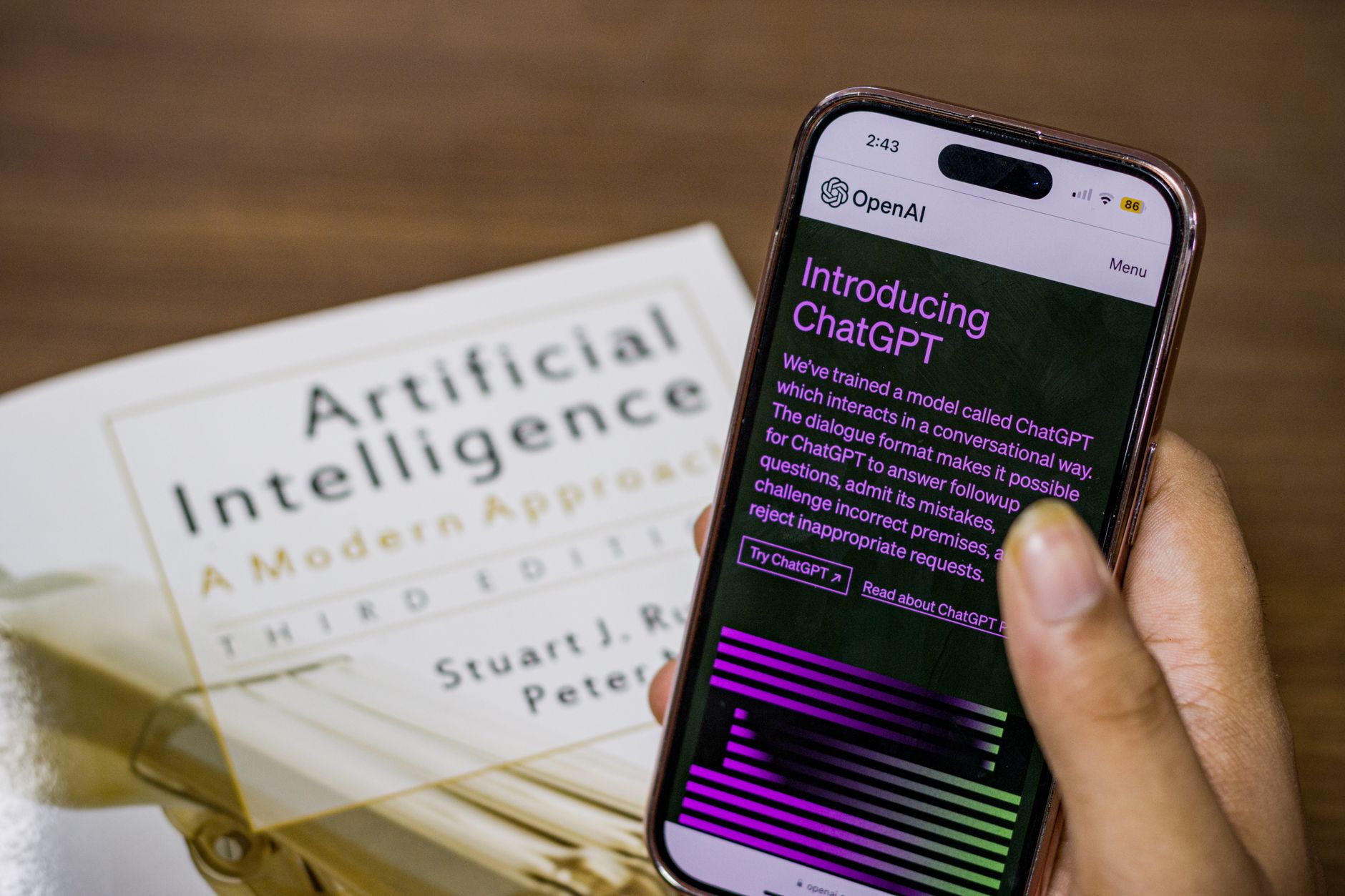
The fastest way to start is with a free assistant. OpenAI’s ChatGPT, Anthropic’s Claude, and Google’s Gemini all offer free versions with enough power for everyday tasks. For general writing and brainstorming, many beginners prefer ChatGPT. If you want long documents or detailed explanations, Claude works well. For quick searches with sources, try Perplexity. Our guide to free AI tools in 2026 compares the main options.
Here is one realistic example. Instead of staring at a blank email, you can paste this prompt: ‘Write a polite email to my landlord asking to fix the kitchen sink. Mention that I have reported it twice. Keep it under 120 words.’ The tool returns a draft in seconds. You edit it to sound like you. That small loop of ask, review, edit, and send is the core pattern behind all 30 ideas below.
A word about privacy. Do not paste bank account numbers, medical records, or your child’s full name and school into a consumer AI tool. Free products may use your input to improve models. For more detail, read our AI privacy guide. Start with low risk tasks like writing and planning. Once you feel comfortable, move to the other routines in this article.
What You’ll Need
- A free AI account such as ChatGPT, Claude, or Gemini
- A smartphone or computer with internet access
- A notes app for saving your best prompts
How Do You Use AI in Daily Life?
- Use AI for writing and communication
Writing is the easiest place to start. Most AI assistants are built to understand language. You can ask for a draft email, a text reply, a social media caption, or a short note. The key is to give context: who is the audience, what tone do you want, and how long should it be. For example, you can turn a rambling voice note into a clean summary. Our guide to ChatGPT personal use ideas has more writing prompts.
Way 1: Draft polite emails. Prompt: ‘Write a short email to my child’s teacher asking for a meeting next week. Tone: friendly and respectful. Mention that I want to discuss reading progress. Under 100 words.’ Way 2: Reply to tricky texts. Prompt: ‘My neighbor sent this text: Can you keep the noise down at night? Write a kind reply that takes responsibility and offers a solution.’ Way 3: Create social posts. Prompt: ‘Turn these three points into a casual Instagram caption for a family beach photo: sunny day, kids built a sandcastle, everyone napped in the car.’ Way 4: Summarize long articles. Prompt: ‘Paste the article below. Summarize the main points in five bullets. Then explain why this matters to a homeowner.’
Way 5: Improve something you already wrote. Paste your draft and ask: ‘Make this email clearer and cut it by 30 percent. Keep my voice. Do not add new facts.’ This works well for job applications, PTA messages, and customer service complaints. The assistant will often flag unclear sentences. Still, always read the final version out loud. You know your relationships better than any AI.
Common mistake: treating the first answer as final. AI drafts are not always ready to send. They can sound stiff or use words you would never say. Use the output as a starting point. Change names, fix details, and shorten sentences. The goal is to save time, not to hand over your voice.

- Use AI to plan your time and boost productivity
AI helps you turn a messy day into a realistic plan. It can sort your to-do list, build a time block schedule, and spot conflicts. The trick is to give the tool your fixed commitments and let it suggest the flexible work. This works for workdays, weekends, and travel. Our AI for productivity guide shows how to combine AI with common tools like calendars and notes.
Way 6: Build a daily schedule. Prompt: ‘Here is my to-do list: buy groceries, finish expense report, call mom, prep for tomorrow’s meeting, exercise for 30 minutes. My work hours are 9 to 5 with a lunch break. Create a realistic schedule with time blocks.’ Way 7: Prioritize tasks. Prompt: ‘I have these 10 tasks. Sort them by urgency and effort. Tell me which three to do first and what I can delegate or skip.’ Way 8: Plan a trip. Prompt: ‘Create a two-day itinerary in Chicago for a family with kids aged 7 and 10. Start at 9 am both days. Include indoor backup options. Keep travel time under 30 minutes between stops.’
Way 9: Break a big project into small steps. Prompt: ‘I want to reorganize my garage in one weekend. Break this into small steps with estimated times. List supplies I may need.’ Way 10: Reduce meeting follow-up work. Prompt: ‘Turn these messy meeting notes into a clear list of decisions, action items, and owners. Use a table format.’ Copy the output into an email or task manager.
One realistic data point: many users save between three and five hours per week once they turn repeated planning tasks into saved prompts. You do not need a paid plan for this. Start with a simple note on your phone. Save your favorite prompts and paste them when the same need comes up. That habit builds speed faster than any tool switch. If you want more time saving ideas, read how to use AI to save time.

- Simplify meals and shopping with AI
Meal planning is one of the most loved uses of AI. You can give the tool a list of what is in your fridge and ask for recipes. It can also make a grocery list grouped by store aisle. This saves mental energy after a long day. Our step-by-step guide to AI meal planning goes deeper with sample prompts.
Way 11: Plan from pantry items. Prompt: ‘I have chicken thighs, rice, canned tomatoes, spinach, onions, and chickpeas. Suggest three dinner recipes using mostly these ingredients. I have 45 minutes to cook.’ Way 12: Make a grocery list. Prompt: ‘Here is my meal plan for the week: Monday spaghetti, Tuesday tacos, Wednesday grilled chicken salad, Thursday lentil soup, Friday homemade pizza. Create a grocery list grouped by section: produce, meat, dairy, pantry.’ Way 13: Adjust for dietary needs. Prompt: ‘Convert this lasagna recipe to be dairy-free and lower in sodium. List substitutions and new instructions.’
Way 14: Estimate nutrition. Prompt: ‘Estimate calories and protein for this breakfast: two scrambled eggs, one slice whole grain toast, half an avocado, and a small latte with whole milk. Give a range.’ Way 15: Compare prices. Take a photo of two price tags or type the unit prices. Prompt: ‘Which is cheaper per ounce: Brand A at $4.99 for 16 oz or Brand B at $7.49 for 28 oz? Show your math.’
The catch is that AI can hallucinate cook times or nutritional data. Always check meat temperatures and allergy warnings on the actual package. Still, for ordinary brainstorming and list-making, it works well. Pair it with a simple notes app so you can pull up the plan at the store.
- Learn new skills and understand tough topics
AI can act like a patient tutor. You can ask it to explain a topic at a fifth grade level, then ask follow-up questions without embarrassment. This is useful for school subjects, work training, and hobbies. Our guide to learning skills with AI includes prompts for languages, music, and coding basics.
Way 16: Explain a hard concept. Prompt: ‘Explain how interest rates affect mortgage payments. Use a simple example with a $300,000 loan. Keep it under 200 words.’ Way 17: Practice a language. Prompt: ‘I am learning Spanish at a beginner level. Have a short conversation with me at a cafe. Correct my mistakes after each reply. Start by asking what I want to order.’ Way 18: Build a study plan. Prompt: ‘I have four weeks to study for a real estate license exam. I can study one hour on weekdays and two hours on weekends. Create a weekly plan with topics and review days.’
Way 19: Prepare for an interview. Prompt: ‘I have a job interview for a customer service manager role. Ask me five common behavioral questions one at a time. After each answer, give brief feedback and a stronger sample answer.’ Way 20: Summarize a book or long document. Prompt: ‘Paste the first chapter. Summarize the key idea in three sentences. Then list two questions to test my understanding.’
Still, keep a skeptical eye. AI can confidently give wrong answers in math or medicine. For anything high stakes, check a second source or ask a human expert. Use AI to rehearse and explain, not to replace formal training. That balance keeps the tool helpful and safe.

- Manage money and budget with AI
Money can feel intimidating, but AI helps with the unemotional parts. It can sort transactions, write a polite negotiation message, or build a simple savings plan. Do not connect AI to your bank unless you use a trusted app with clear security. Our AI for personal finance guide explains safer ways to get started.
Way 21: Review spending. Prompt: ‘Here are my monthly expenses as a list. Group them into needs, wants, and savings. Flag any surprising items. Suggest two areas to cut $100 total.’ Way 22: Negotiate a bill. Prompt: ‘Write a script to call my internet provider and ask for a lower rate. Mention I have been a customer for four years. Keep it polite and firm, under 150 words.’ Way 23: Build a savings plan. Prompt: ‘I want to save $1,200 for holiday gifts by December 1. I get paid twice a month. Create a per-paycheck savings target and a simple tracking table.’
Way 24: Prepare for tax season. Prompt: ‘List the documents I should gather as a freelancer before meeting a tax preparer. Organize them by income, expenses, and deductions.’ Way 25: Compare subscription costs. Prompt: ‘Here are my monthly subscriptions with prices. Tell me the total annual cost and suggest two I could pause.’
A common pitfall is sharing account numbers or Social Security details with a general assistant. Never do that. AI is a planning aid, not a financial advisor. For investment decisions, consult a licensed professional. The assistant can prepare questions and organize numbers, but it should not make the final call.
- Use AI for family routines and parenting
Parents are some of the most creative AI users. You can generate bedtime stories, rainy day activities, and age-appropriate explanations. The assistant never gets tired of repeating itself, which helps when kids ask why twenty times. Our guide to AI for parents has deeper examples.
Way 26: Create a custom bedtime story. Prompt: ‘Write a 300-word bedtime story for a 5-year-old about a brave turtle who learns to share. Include a small problem and a happy ending.’ Way 27: Plan a screen-free afternoon. Prompt: ‘Give me four indoor activities for kids ages 4 and 7 using only paper, tape, and cardboard. Each activity should take 20 to 30 minutes.’ Way 28: Explain a difficult question. Prompt: ‘My 8-year-old asked why the moon changes shape. Explain it in simple language with a flashlight and ball demo I can do at home.’
Way 29: Build a chore chart. Prompt: ‘Create a weekly chore chart for two kids, ages 6 and 10. Assign five age-appropriate chores each. Include point rewards they can trade for screen time.’ Way 30: Plan a birthday party. Prompt: ‘Plan a low-cost outdoor birthday party for a 7-year-old. Theme: space. Give me a two-hour schedule, a snack list, and two simple games.’
Remember that AI does not know your child. It may suggest activities that are not safe for your specific situation. Check ingredients, allergies, and small parts. Use the ideas as a springboard, not a script. Also, avoid typing your child’s full name, school, or location into a public AI tool.
- Choose the right AI tools and protect your privacy
By now you can see the pattern. The tool matters less than the prompt. Still, some tools fit certain tasks better. Is ChatGPT Plus worth it? and Claude Pro review cover paid upgrades in detail. For most beginners, a free account is enough.
OpenAI publishes current ChatGPT pricing and model details on its official page. As of early 2026, ChatGPT Plus costs $20 per month for access to a stronger model and priority responses during busy times. Google’s Gemini also offers a free tier and a paid Google AI Pro plan. You can compare features on the official Google AI page. These prices change, so check before you buy. For more on ChatGPT’s plans, see OpenAI.
Your first week should look like this. Pick two routines from this list. Save the prompts in a notes app. Run them once a day. After seven days, review what worked. Then add two more. Do not try all 30 at once. That is how you build a sustainable habit without feeling overwhelmed.
Finally, set a privacy rule. Read the tool’s data settings. Turn off chat history if available. Do not paste sensitive documents. Our AI privacy guide walks through the main settings in plain language. Tools change, but the rule stays the same: treat every prompt as if a stranger could read it.
Red Flags & Warnings
- 🚨 Do not paste bank details, Social Security numbers, or medical records into a general AI chat.
- 🚨 Always verify AI-generated facts for health, legal, or money decisions with a trusted human expert.
- 🚨 Never enter your child’s full name, school, or location into a public AI tool.
- 🚨 Treat AI drafts as a starting point, not your final message. Edit for tone and accuracy.
- 🚨 Free AI tools may store your prompts to improve models. Turn off history when handling anything personal.
- 🚨 Do not rely on AI meal plans or nutrition estimates for severe allergies. Read labels and consult your doctor.
Frequently Asked Questions
Do I need technical skills to use AI in daily life?
No. You only need to type a clear request or paste a prompt. The tools are designed for plain language. Start with a free account on ChatGPT, Claude, or Gemini and try one writing prompt.
Which free AI tool is best for beginners?
ChatGPT is often the easiest starting point because its interface is simple and it handles many everyday writing tasks well. Claude is strong for long documents and detailed explanations. Google Gemini works nicely if you already use Gmail and Google Docs.
Can AI really save me time every day?
Yes, but only if you use it for repeated tasks. People who save the most time keep a note of their best prompts. They then reuse those prompts for email, planning, and meal prep instead of starting from scratch each time.
Is it safe to use AI for personal finance?
For budgeting and organizing, yes, if you avoid account numbers and passwords. AI can sort expenses and write negotiation scripts. But do not take investment or tax advice from a general assistant without checking a licensed professional.
How do I get better answers from AI?
Give context: who, what, when, where, and what tone you want. Ask for a specific length. If the answer is off, tell the AI what to fix. Review and edit the result before sending or using it.
What should I never type into an AI tool?
Never type passport numbers, bank logins, full medical records, or your child’s identifying details. These systems may store your input. Use fake names for people and avoid unneeded personal identifiers.
What Should You Remember?
- Start small: Pick two routines from this guide and use one free AI tool.
- Copy good prompts: Save prompts that work in a notes app so you can reuse them.
- Edit everything: Treat AI output as a rough draft, not a final answer.
- Protect your data: Never share bank details, medical records, or a child’s school.
- Use the right tool: Free options like ChatGPT, Claude, and Gemini are enough for most daily tasks.
- Verify high-stakes facts: Check health, legal, and money information with a human expert.
- Build a weekly habit: Run the same prompts once a day for seven days before adding more.
This article is for general information only. AI tools, pricing tiers, and free limits change frequently, so verify current features and pricing on the vendor’s own site before committing. Some links may be affiliate links that support this site at no cost to you.